GoFormz Integrations

Extend field workflow automation into connected Microsoft systems

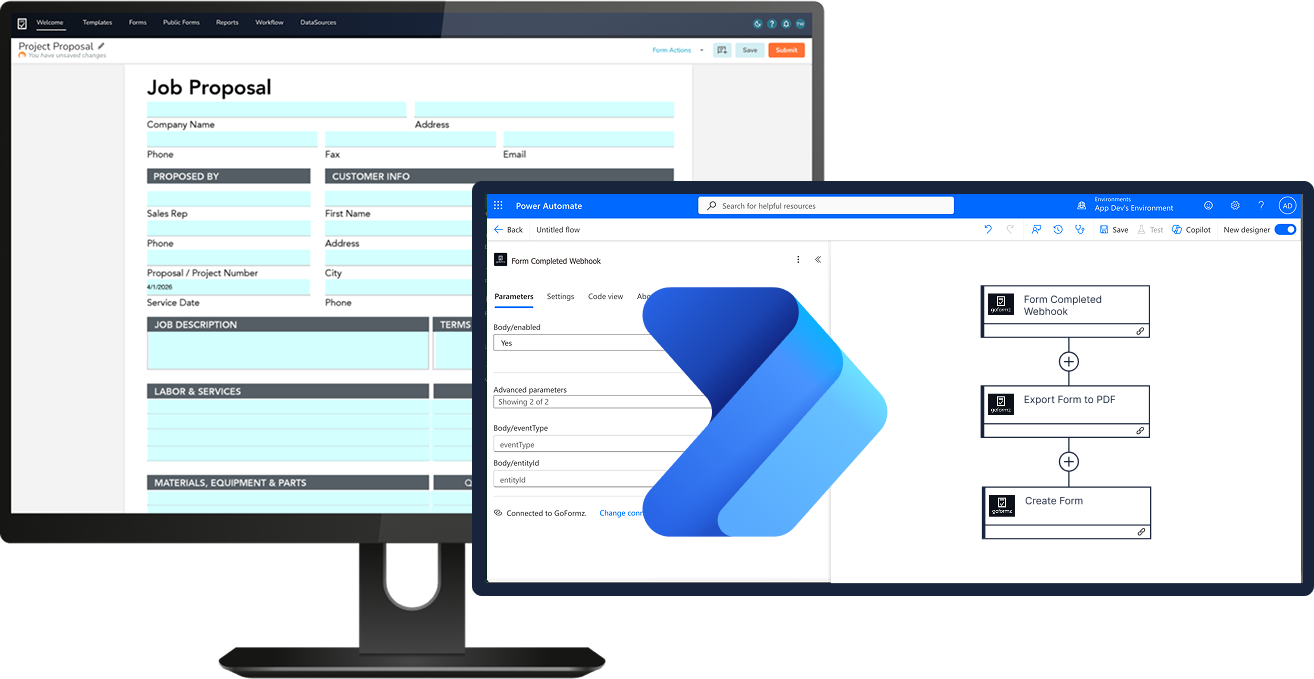
With this integration, Microsoft Power Automate workflows fire automatically as soon as forms are completed — instantly routing field data to Power BI dashboards, Teams, Outlook, SharePoint, and more.

GoFormz Power Automate integration

The Problem

The gap between field reality and back-office visibility

Most businesses run on Microsoft platforms — but field execution data rarely flows into them automatically. Every manual transfer is a delay, a potential error, and a drain on admin resources.

The hidden cost of unreliable field data

Field realities
What's putting your data at risk

When there's no standardized routing across job sites or departments, delays and errors occur. Teams have to re-key GoFormz data into Power BI dashboards, ERP systems, or SharePoint. IT backlogs delay every integration build. Each manual handoff is another opportunity for data to go missing or arrive late.

Office consequences
Why it matters to the back office

The gap between what happens in the field and what your systems see is costly. You get delayed system-of-record updates. Manual data transfer errors create audit exposure. Admins spend their time on process tasks instead of operational oversight. The field-to-office gap persists despite a heavy Microsoft investment because the integrations to close it have always required developer resources to build and maintain.

Close the gap

Connect systems. Trigger workflows. Unlock value.

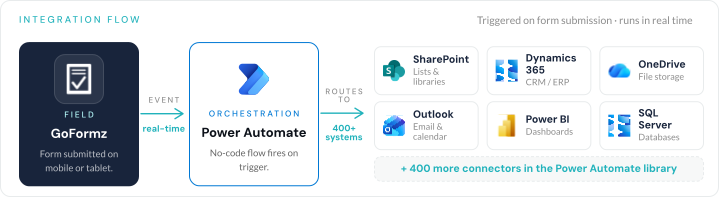
Now you can connect field data captured in GoFormz to Microsoft Power Automate through an admin-governed and pre-built connector. When a field worker completes a form, that event triggers automated Microsoft workflows — updating Power BI dashboards, archiving in SharePoint, alerting in Teams, and distributing through Outlook. No custom code to write, no developer queue to wait on, and no separate webhook to configure. Power Automate handles webhook creation the moment a flow is saved.

Integration flow diagram
"

The integrations that GoFormz has natively built in have helped us make a handful of platforms and software much more valuable to Tasman.

John Walker
IT Manager, Tasman, Inc.
See Case Study

Getting started

Here's how it works

Three steps from zero to automated field-to-office workflows.

01
Connect
Enable API read/write access on the GoFormz account. Add the GoFormz premium connector inside Power Automate. Authentication is the same flow as the Connected Apps page in GoFormz.
02
Configure
Choose the GoFormz template that fires the workflow. Define what happens next — update a Dynamics 365 record, archive to SharePoint, send a Teams alert, distribute through Outlook, or chain into any existing Power Automate flow. The webhook creates itself when the flow is saved.
03
Control
Monitor workflow execution and govern access at the account level — with full audit trail and admin controls (available on the Power Automate side) in place from day one.

Built-in benefits

Capabilities designed to make your life easier

Pre-built. Live in hours. Start automating on day one — no setup required

GoFormz ships with one trigger and three actions, pre-built for field execution. No custom code. No developer dependency. Power Automate creates the webhook on the GoFormz side automatically when a flow is saved.

  • Form completion fires a Power Automate workflow
  • Get Form retrieves the structured data the workflow needs
  • Export to PDF for downstream attachment, archive, or distribution
  • Create Form generates new forms from a flow — with pre-populated fields
Bulk dispatch and pre-population Generate and pre-fill forms before they reach the field

Power Automate's looping capability unlocks added value for GoFormz Workflows — dispatch a pre-filled form for every row in a SharePoint list, spreadsheet, or ERP record set. Combine it with the Create Form action and field pre-population, and high-volume repeat workflows run themselves.

  • Generate work order forms for every row in a SharePoint job list each morning
  • Dispatch pre-filled inspection forms to each technician based on Dynamics 365 asset list
  • Auto-fill GoFormz fields with data from Salesforce, Dynamics 365, or any connected system — before the form reaches the field worker
Microsoft ecosystem connectivity Connect GoFormz to the Microsoft tools your teams rely on

Integration with the full Microsoft stack means GoFormz data extends to every system Power Automate already connects to. That includes the Microsoft 365 stack and 400+ third-party connectors — without middleware, custom development, or a separate integration project for each system.

  • Dynamics 365, SharePoint, OneDrive, Azure Blob Storage
  • Microsoft Teams notifications and approval routing
  • Outlook for document distribution
  • Power BI dashboards fed by submitted form data
  • 400+ Power Automate connectors for systems beyond Microsoft
Admin governance + enterprise readiness Get IT visibility without IT bottlenecks

Platform admins configure and govern the integration directly — defining which teams, templates, and workflow types connect to which Microsoft services. Give IT a sanctioned, auditable participant in the Microsoft environment so they're not operating in the shadows. Microsoft Copilot in Power Automate surfaces suggested fixes when an error occurs in a flow, further reducing support friction.

  • Flow Logs inside Power Automate for execution monitoring
  • Role-based access controls at the account level
  • Available for all accounts with API access
Pre-built triggers Bulk dispatch and pre-population Microsoft ecosystem connectivity Admin governance and enterprise readiness

Use Cases

What the integration looks like in action

Real-world automations teams run with GoFormz and Microsoft Power Automate.

When this happens in GoFormz This happens automatically
Inspection submitted Structured field data routes into Dynamics 365 or a SharePoint list. System of record updates in real time.
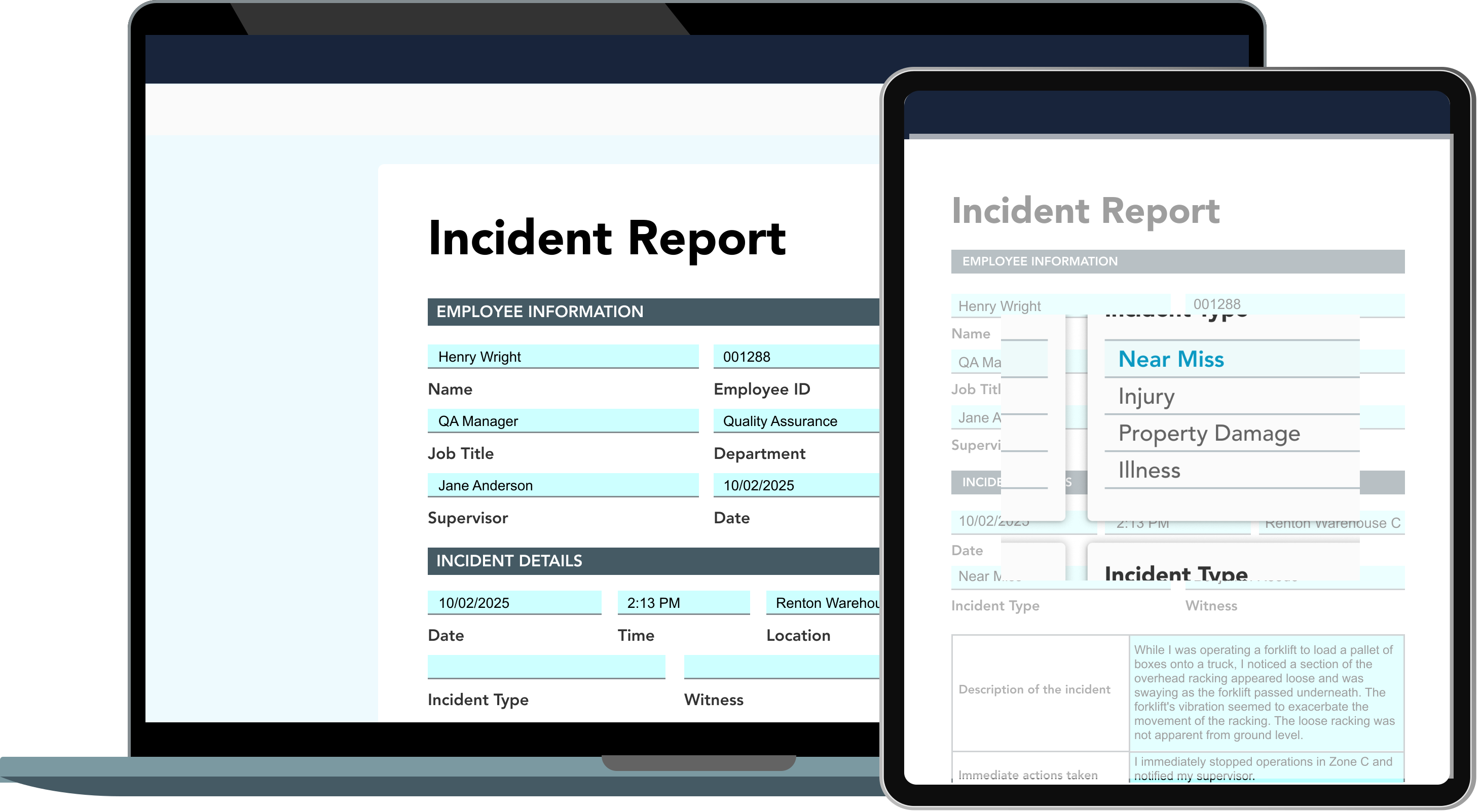
Safety incident reported Teams alerts the safety manager and project lead immediately. The completed form archives in a designated SharePoint folder for audit readiness.
Daily report submitted Outlook distributes the report to project stakeholders. SharePoint archives the document. No manual sending steps.
Approval required The form routes to the correct approver via Teams or email — replacing manual triage and email chains.
Pre-populated form dispatch Power Automate pulls data from Salesforce, Dynamics 365, or a SharePoint list and the Create Form action auto-fills fields before the form reaches the field worker.
Bulk form dispatch Power Automate loops through a SharePoint list or spreadsheet and dispatches a pre-filled GoFormz form for every row — to every technician, crew, or job site.
Field data captured Submitted form data feeds Power BI dashboards automatically. Operations leaders get real-time visibility without aggregating data by hand.

Trusted by global leaders

Tasman CHP Energy Solutions NQCranes ODOT Pacific Seafood SpawGlass

Enterprise-ready

Enterprise trust

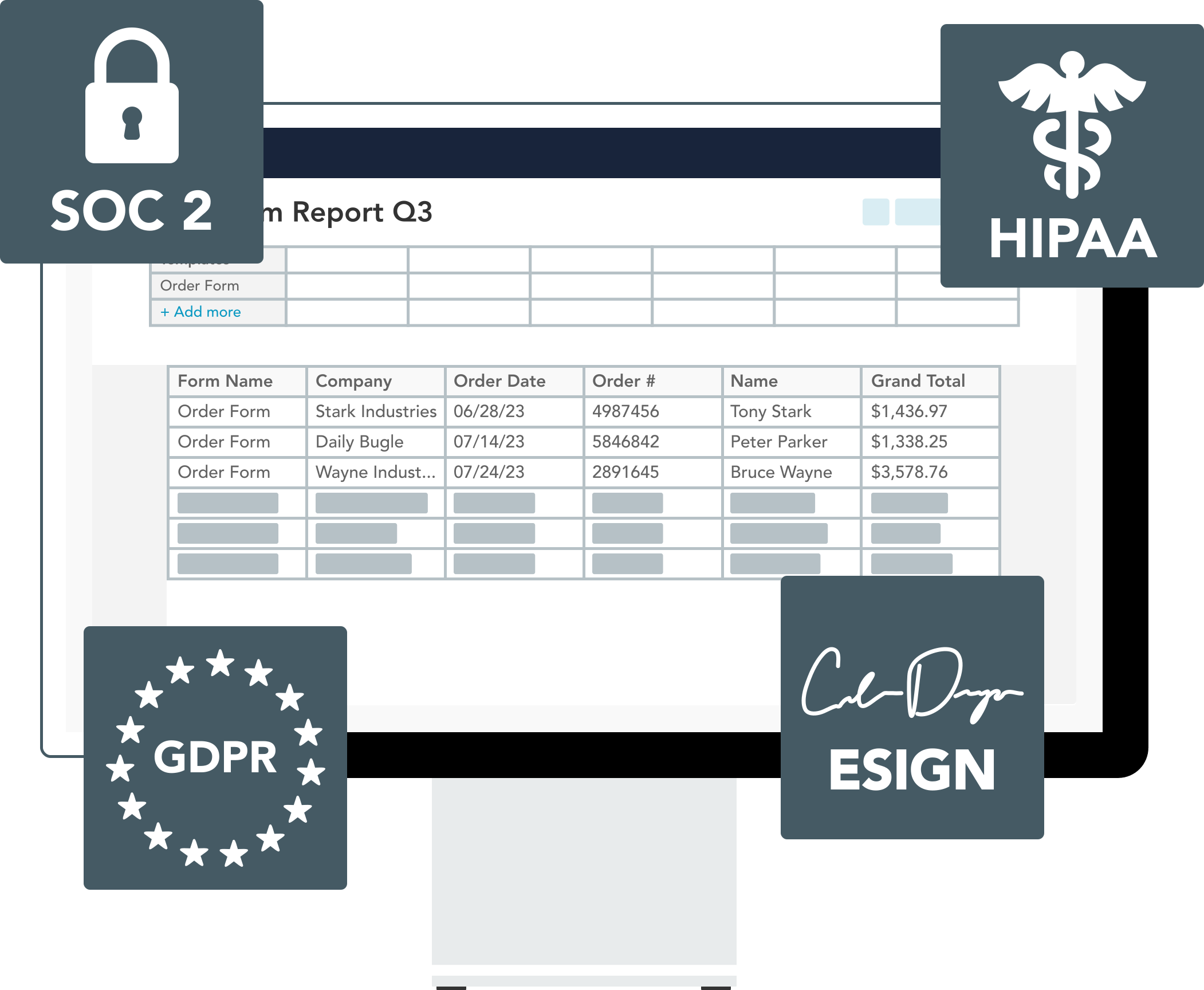
The GoFormz Microsoft Power Automate integration is built for multi-site, multi-project enterprise operations.

See It In Action

Watch GoFormz + Power Automate at work

See how field teams capture data in GoFormz and instantly trigger automated workflows across Microsoft Power Automate — no manual handoffs, no re-entry, no delays.

Request a Demo
Request a Demo

Ready to close the field-to-office gap?

Let us show you how easy it is to flow trusted GoFormz data into the Microsoft platforms you rely on.

  • SOC 2 Type II Certified
  • Deploys in 2–4 Weeks
  • No IT Project Required
  • Dedicated Onboarding Included

Book a Demo

Select your approximate employee count to get started.

You're in the right place.

GoFormz equips small businesses to work smarter and grow faster. Get started free — no credit card required.

Almost there

We'll tailor the demo to your workflows.

First Name
Last Name
Work Email
Phone Number
Company
Industry

You're all set!

A GoFormz expert will reach out shortly to schedule your personalized demo.

FAQ

Frequently Asked Questions

Common questions about the GoFormz Microsoft Power Automate integration.

About the Integration
How it works and who it's designed for.

The GoFormz Microsoft Power Automate integration is an admin-governed connector that fires Microsoft workflows automatically when a GoFormz form is completed. The integration ships with one trigger (Form Completed) and three actions (Get Form, Export to PDF, Create Form). It connects GoFormz to Dynamics 365, SharePoint, OneDrive, Teams, Outlook, Power BI, and the full Power Automate connector library — with no custom development needed.

GoFormz connects to Dynamics 365, SharePoint, OneDrive, Azure Blob Storage, Microsoft Teams, and Outlook through the Power Automate integration. Plus, it extends to hundreds of third-party connectors available in the Power Automate ecosystem.

No. The integration uses pre-built triggers and actions that platform admins can configure without writing custom code. Workflow logic — including routing, notifications, and system updates — is managed through a visual configuration interface, with admin governance controls available on day one.

Deployment & Enterprise
Account requirements, compliance, and governance.

The integration is designed for platform administrators, IT/systems analysts, and operations leaders at mid-market and enterprise organizations running Microsoft 365 environments. It is particularly valuable for teams in construction, energy, and field services looking to eliminate manual data handoffs between the field and back-office systems.

API access is required, available on the Advanced and Enterprise tiers. Enterprise tier supports complex multi-step flows, looping workflows for bulk form dispatch, and high-volume automation. Team-tier API access is too limited for meaningful Power Automate use.

Workflow execution is monitored in the Power Automate dashboard and authentication is managed at the GoFormz account level. Admin governance controls define which teams, templates, and workflow types connect to which Microsoft services — providing IT and compliance teams with a complete, auditable record of data routing activity.